Bible reading tracker for iPhone & iPad
Read the whole Bible.
Keep the record.
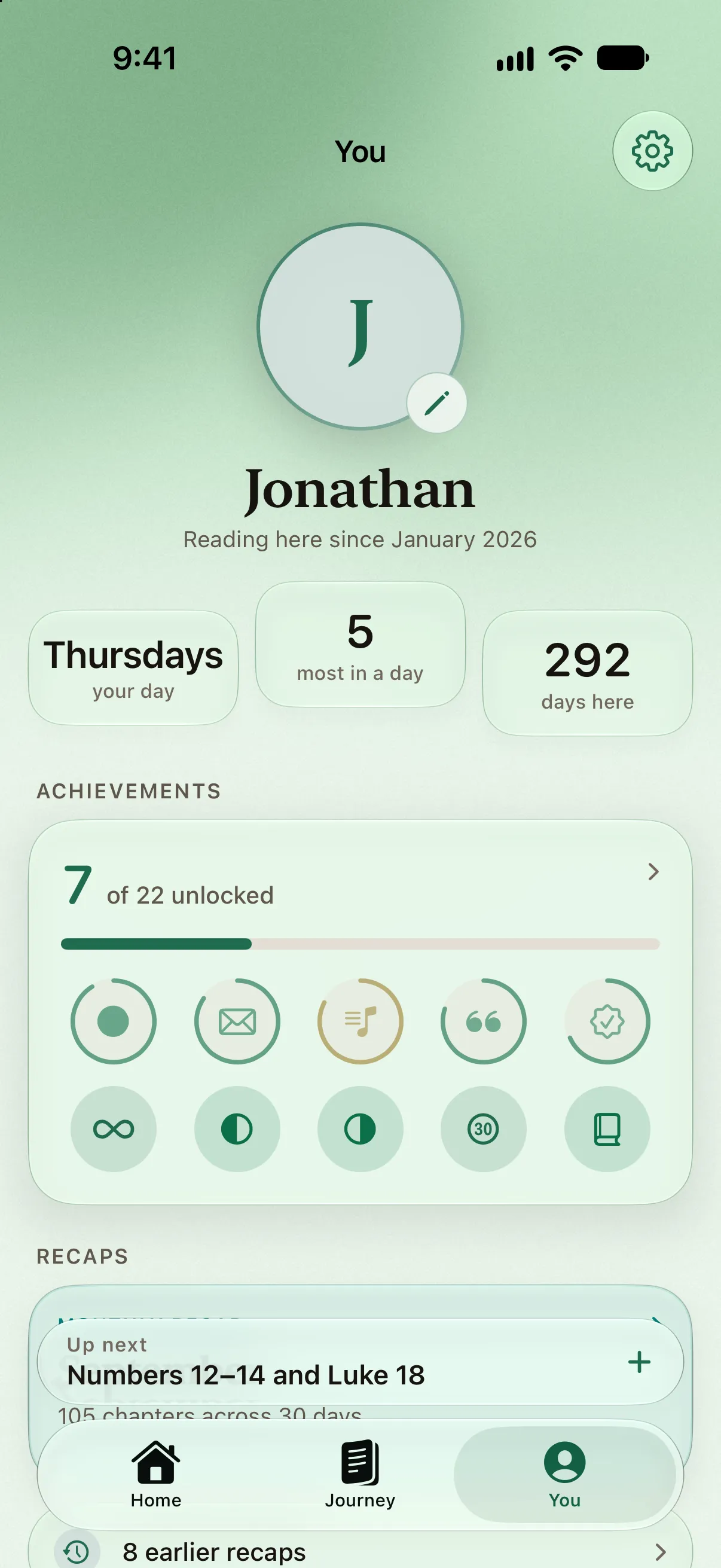
Log the chapters you read and watch the whole Bible fill in, book by book. A quiet Bible reading tracker for iPhone and iPad that shows you how far you’ve come and never counts the days you didn’t.
Free. No account. iOS 26 or later.


- 1,189chapters, every one tracked
- 5canons, 66 to 80 books
- 0accounts, ads or subscriptions
- 1record, kept on your phone
One record, honestly kept
Everything about your reading. Nothing to feel bad about.
BibleRing keeps one thing: which chapters you have read, and when. Every number in the app comes from that record — the ring, the pace, tomorrow’s reading, the seals — so it never disagrees with itself, and it never has an opinion about the days in between.
Logging
One tap, and the day is kept.
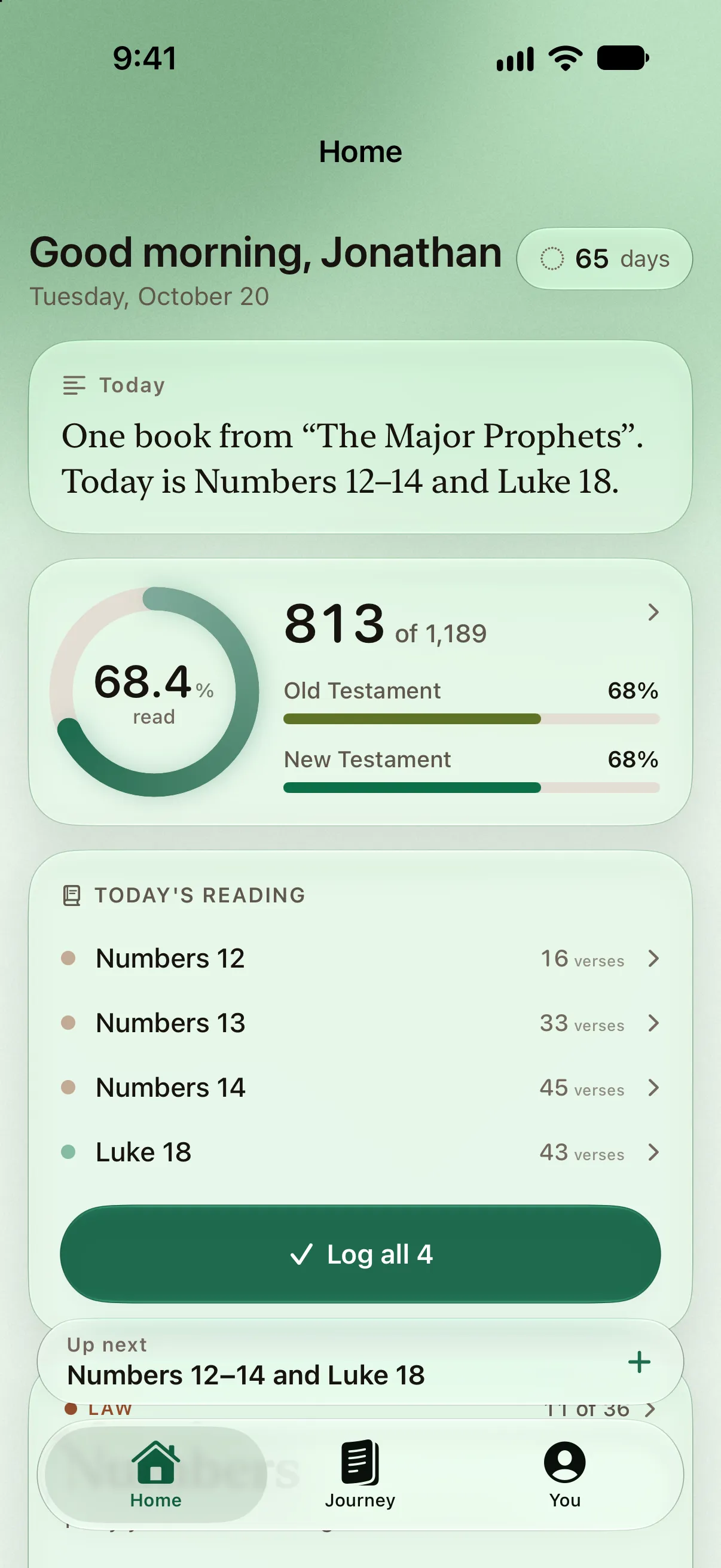
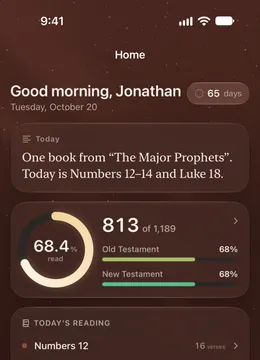
Today’s reading is waiting on Home. Tap a chapter, or the whole day, and a sheet confirms it — then shows you what that reading changed. Nothing in the app records a chapter behind your back.
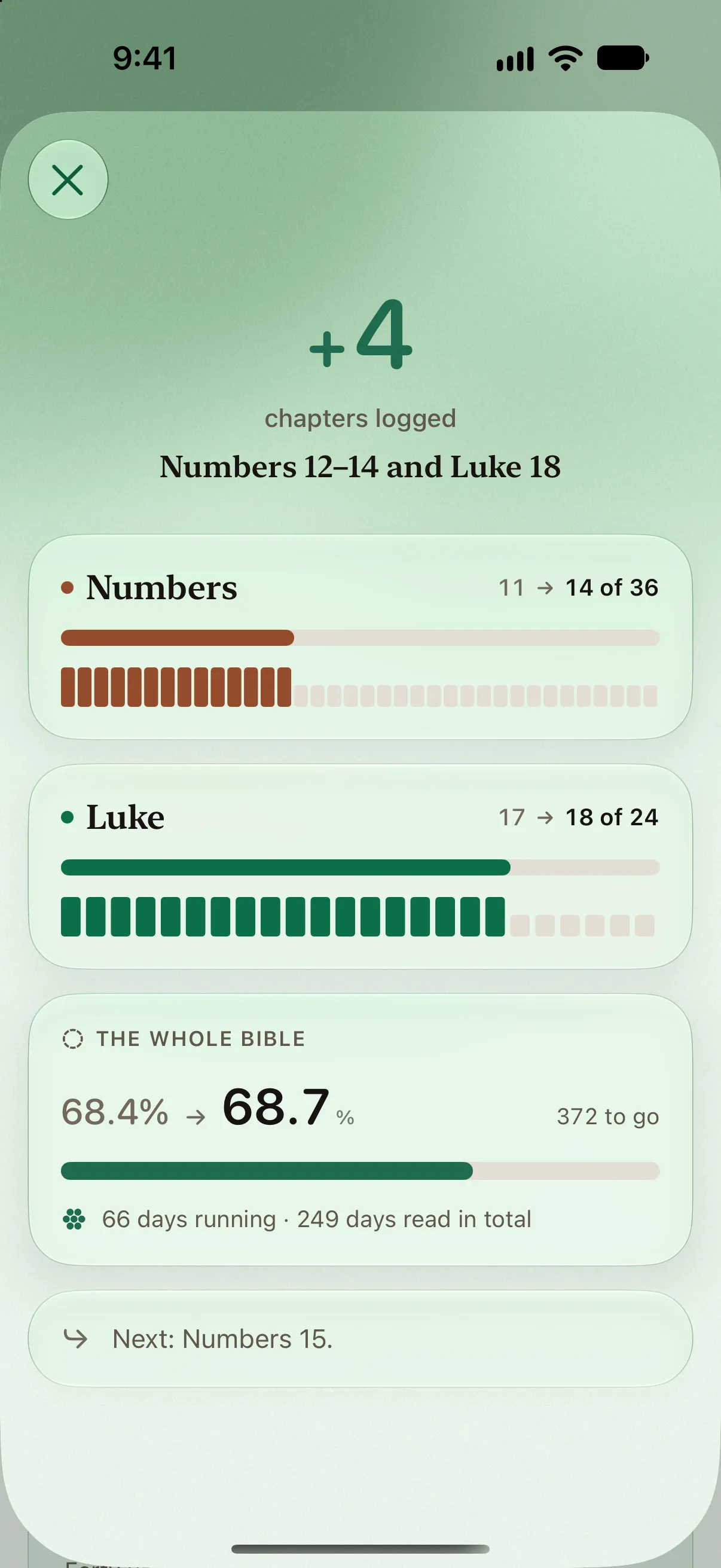
Confirm, then see what it changed.
Every reading ends on a summary. The book’s bar moving, the whole-Bible ring, the run, a seal if one was earned, and the next chapter — so the tap that means “I read that” always shows you what it meant.
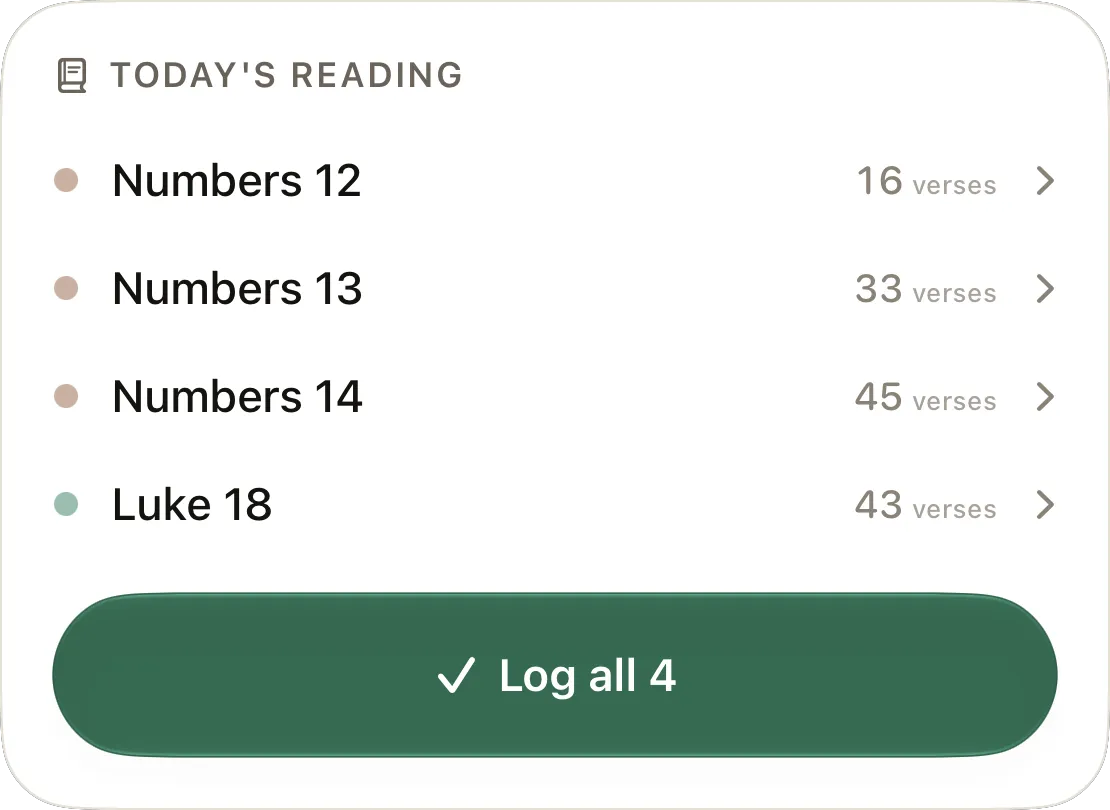
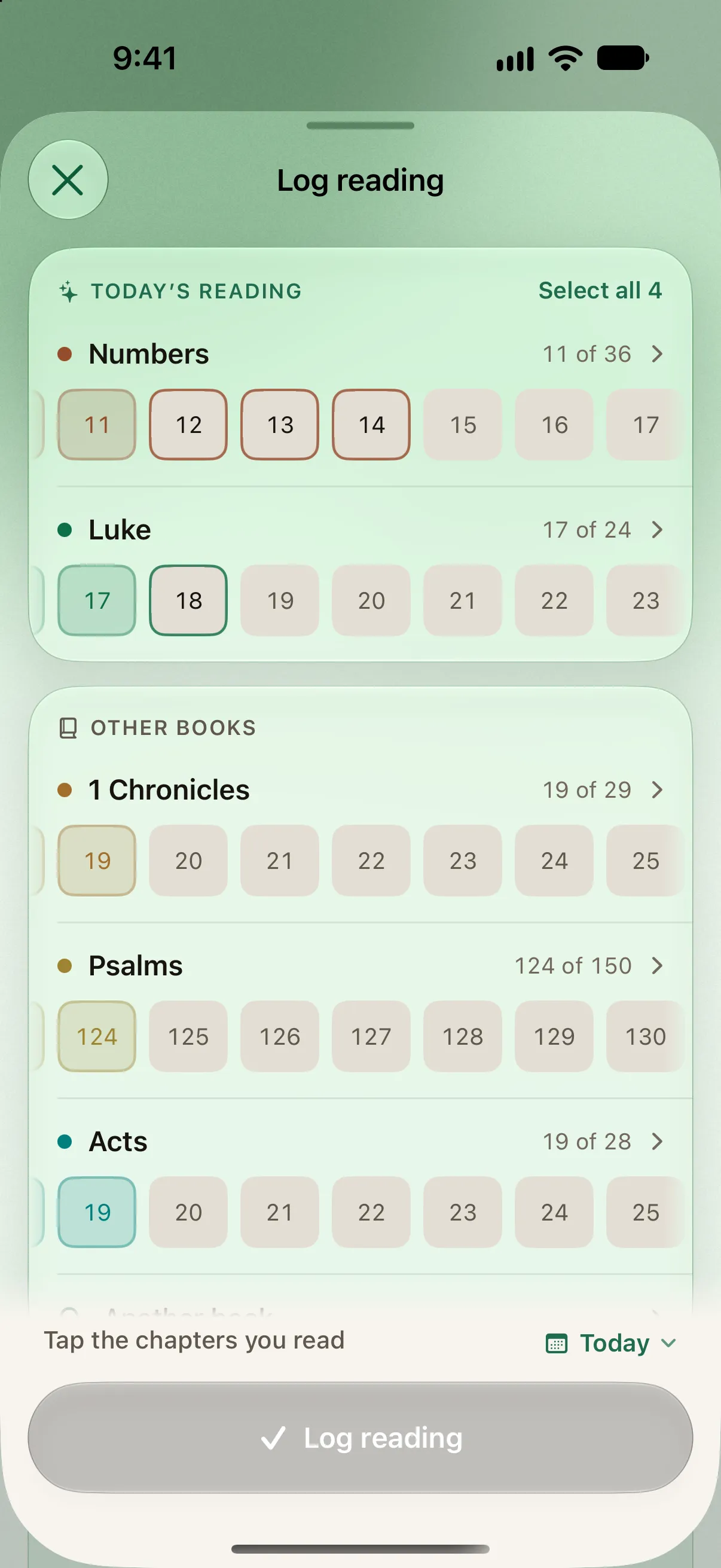
The next chapter is the next cell.
A book is a strip of its chapters. Today’s are ringed, the rest are a tap away, and any book in the canon is one search off. Read ahead, read behind, or read something else entirely.
A record, not a to-do list.
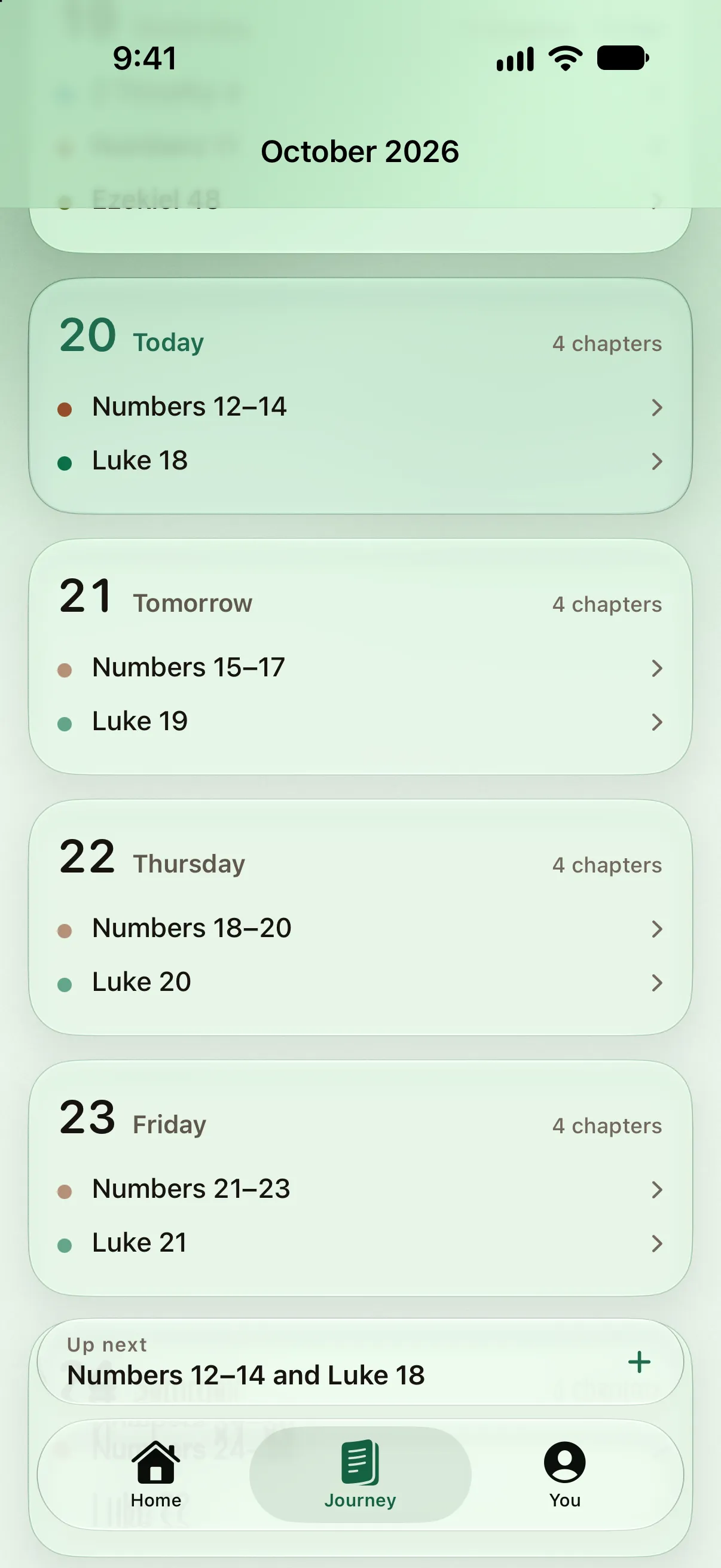
The Journey runs like a calendar: the days you read above, today, the plan’s next two weeks below. A line opens the passage — its date, a note per chapter, and the quiet way to take it back off. Nothing on it is a checkbox.

Progress
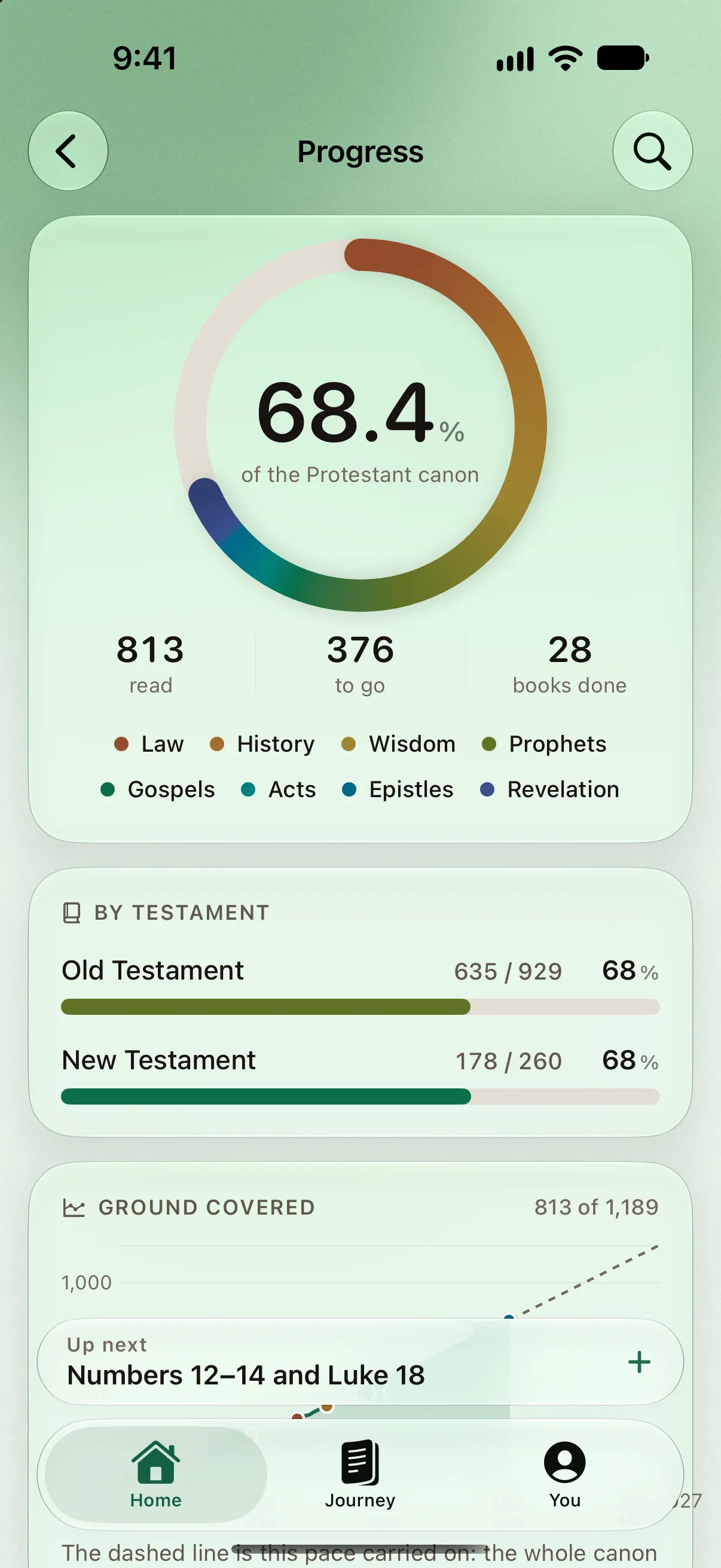
The whole Bible, at a glance.
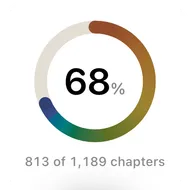
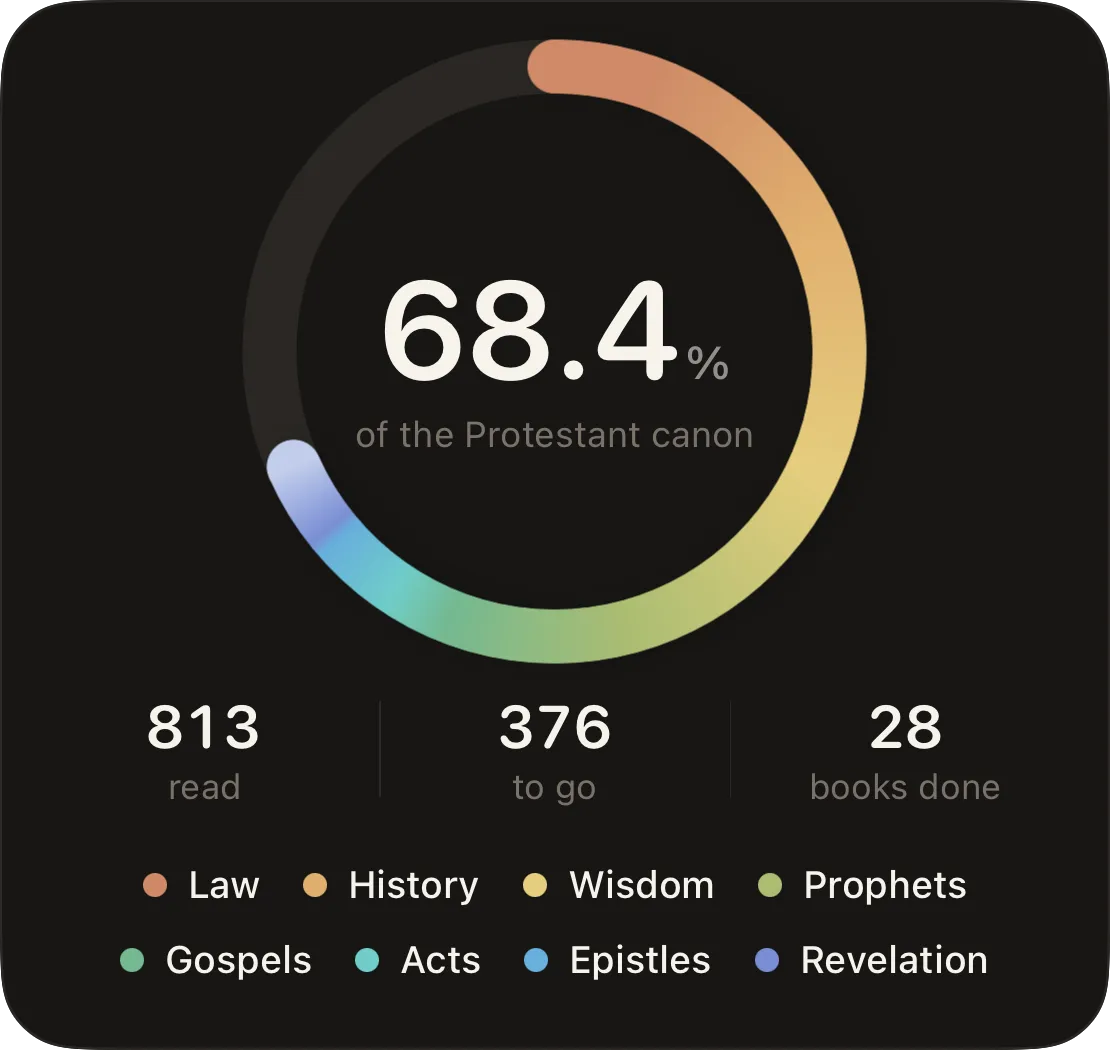
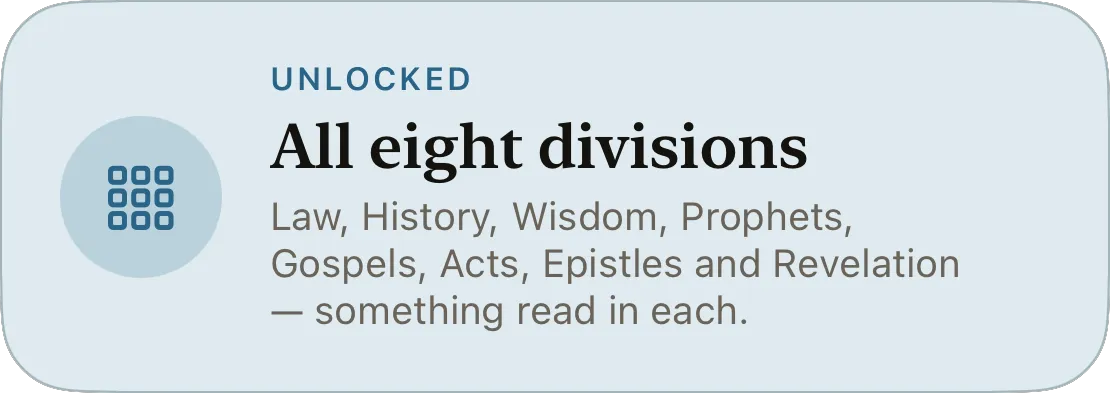
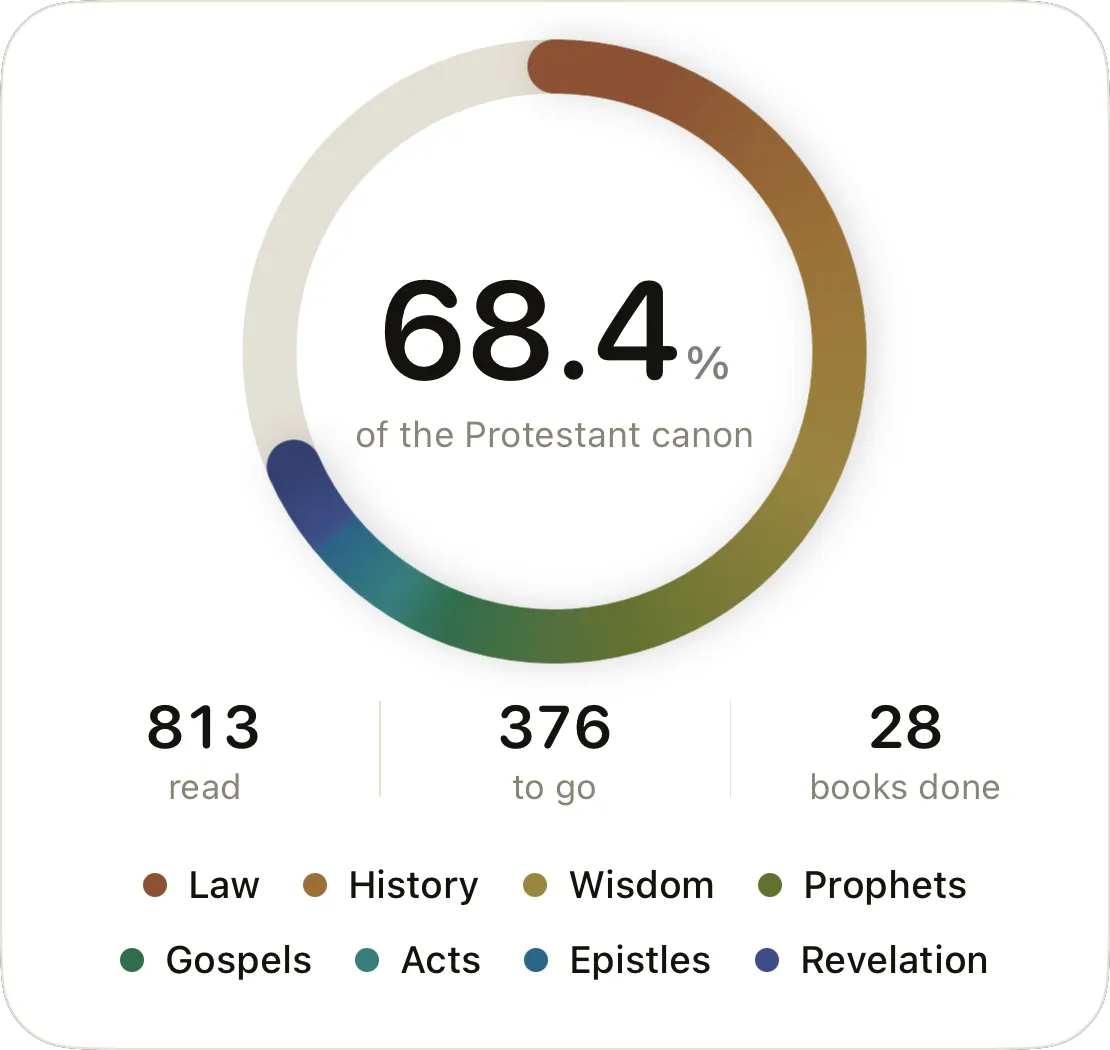
One ring, eight colors. Every division of the canon owns a hue — the Law is clay, the Gospels are blue — so the ring is a map of where you have been, and its length is exactly the percentage inside it.
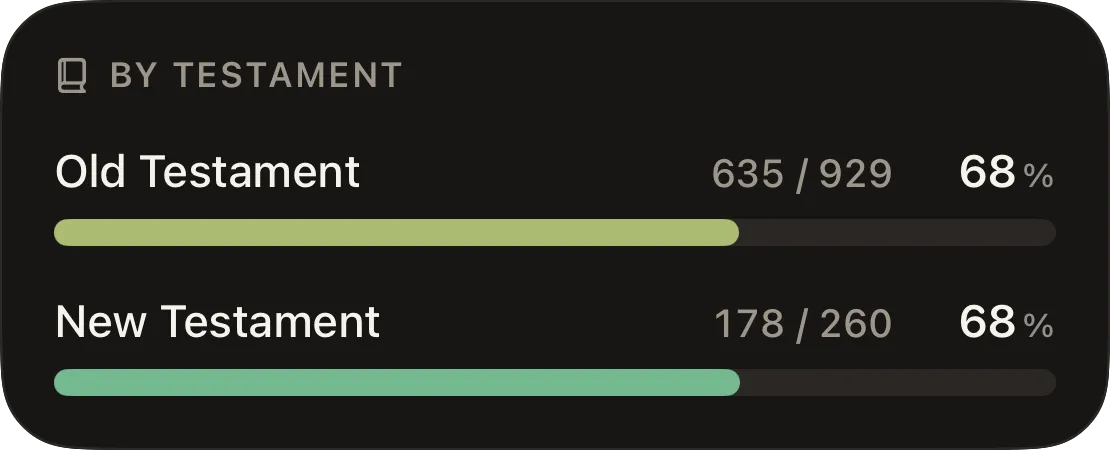
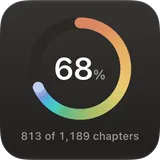
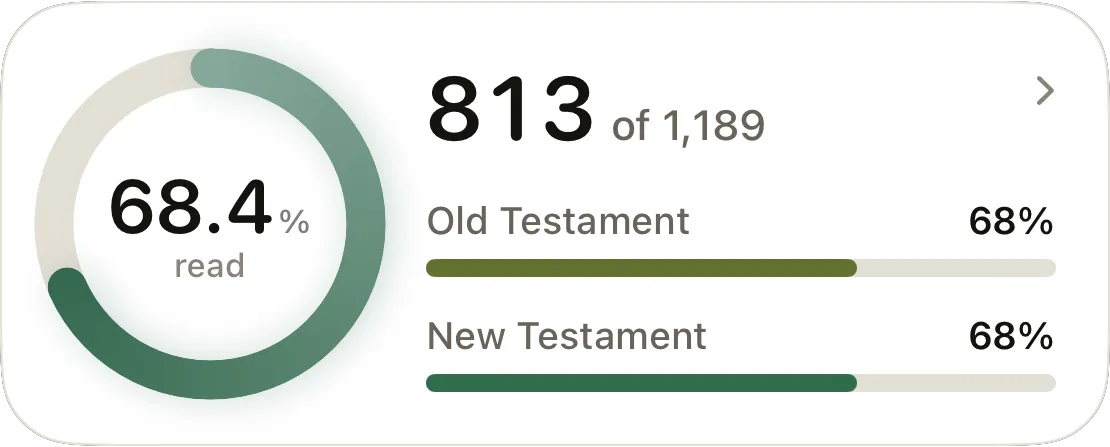
813 of 1,189. Twenty-eight books closed.
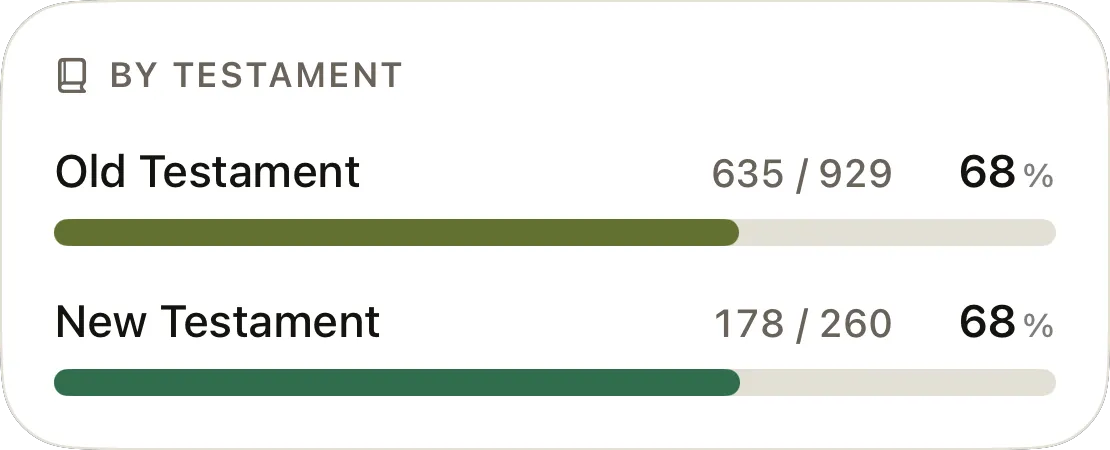
Progress is the axis of the book. The ring, the two testaments, the ground covered and every book of your canon under its division — the whole record on one screen, and a search for anyone typing “1 Cor”.
- Law
- History
- Wisdom
- Prophets
- Gospels
- Acts
- Epistles
- Revelation
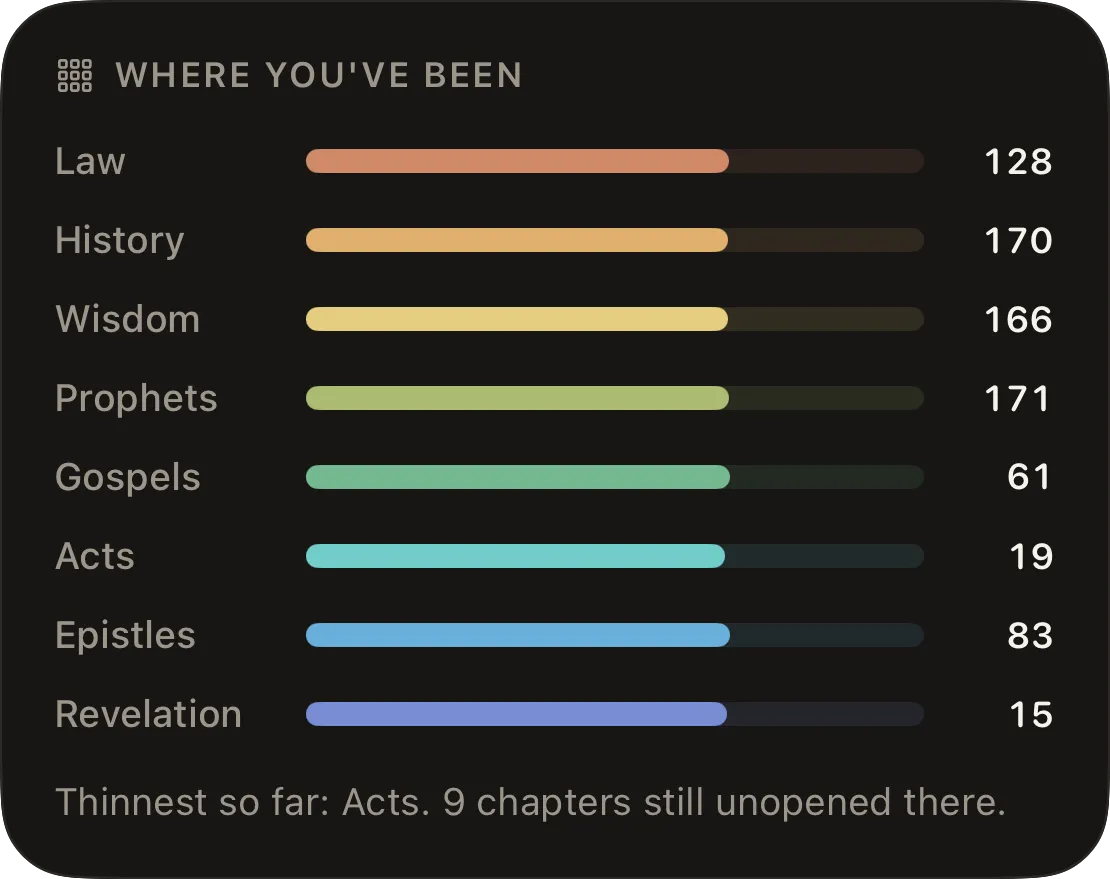
Where you’ve been, and where you haven’t.
A bar per division. The thinnest one is named, with the chapters still unopened there — so the Prophets stop being the part you keep meaning to get to.
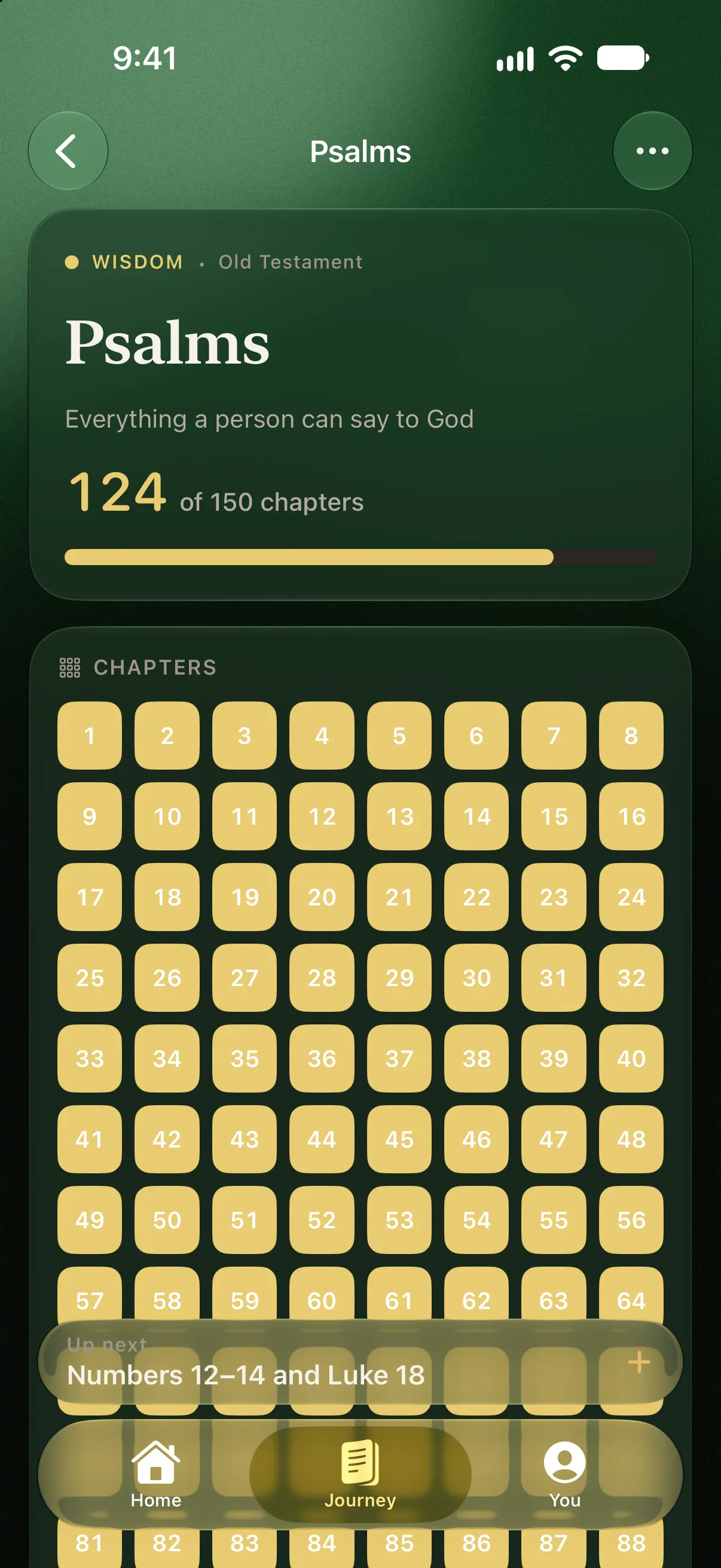
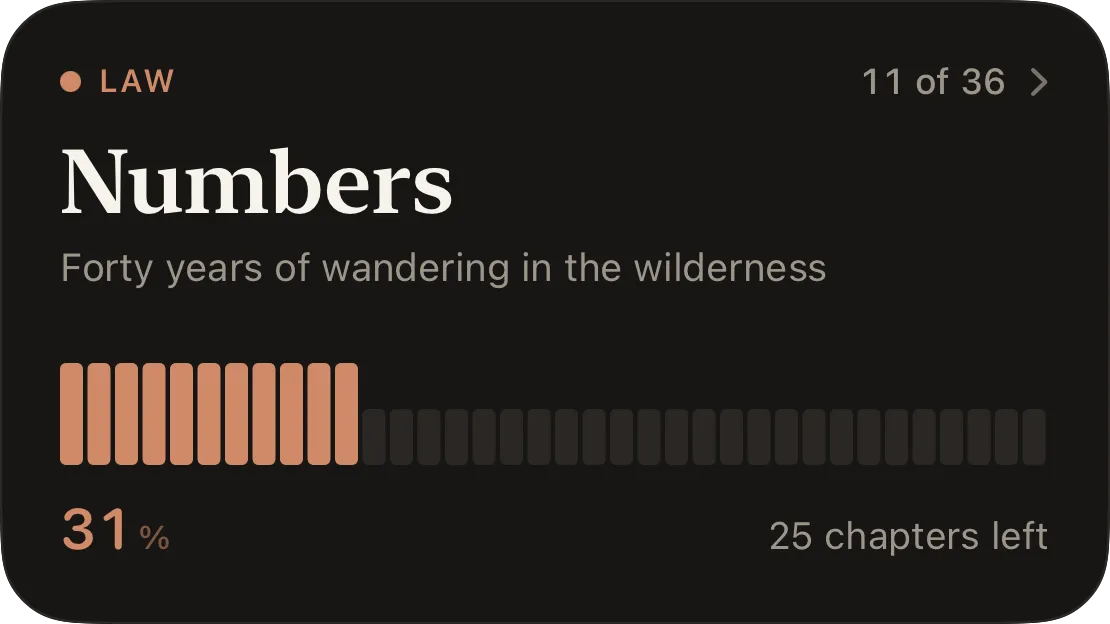
A book is a map, not a checklist.
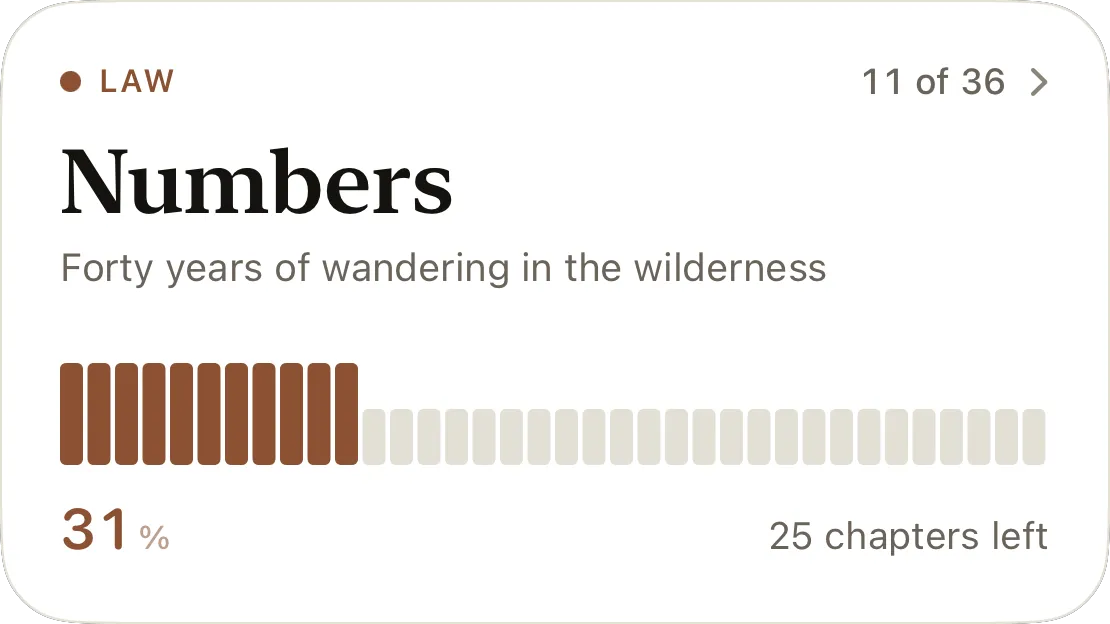
One bar per chapter. Open a book and its chapters are a grid — territory covered rather than boxes waiting to be ticked — with a landmark that says what the book is about, and the chapters left.
Pace
A pace, not a deadline.
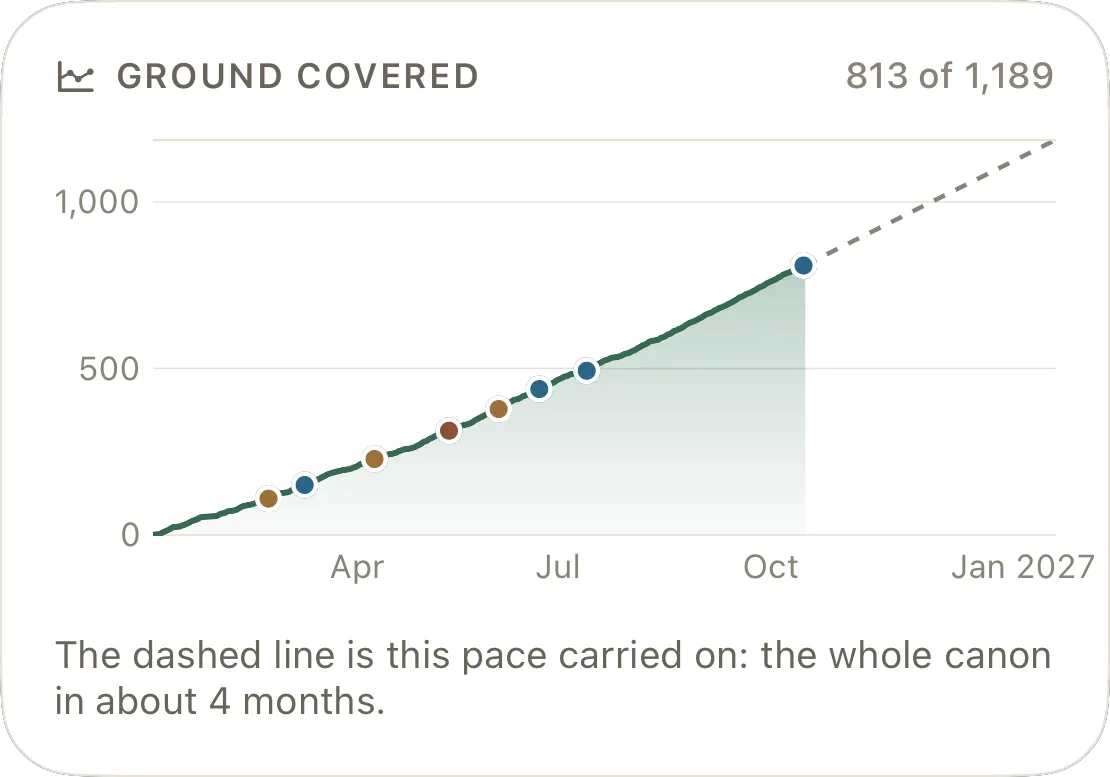
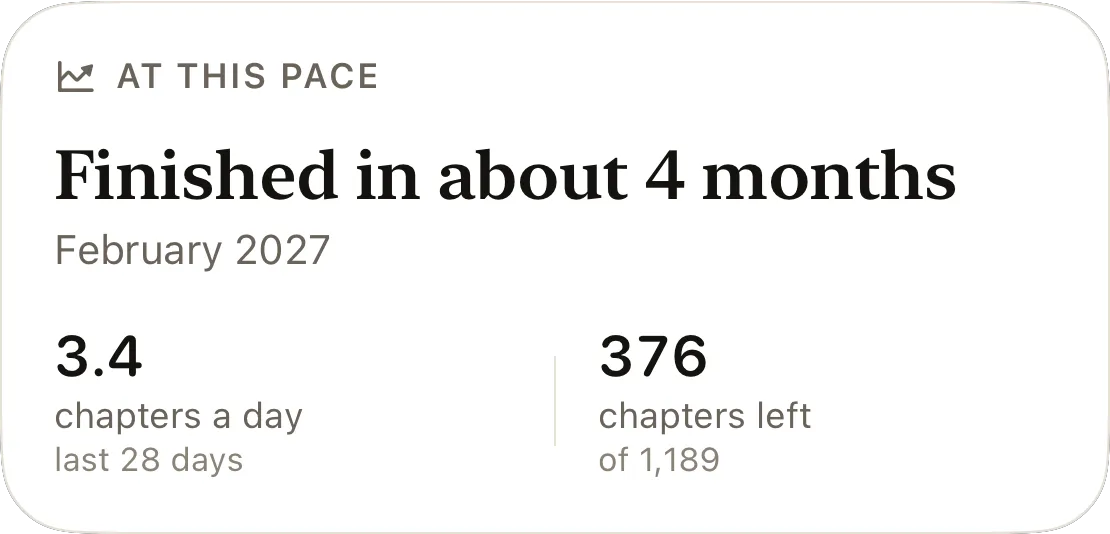
The app watches what you actually read over the last four weeks and tells you, plainly, where that leads: finished in about four months, say, and the month it lands in. It moves as you move. It is never a countdown.
Finished in about four months.
A projection from your own last 28 days, carried forward over the chapters left in your canon. The curve is every chapter’s first reading, so a chapter read three times moves the line once — and an import moves it on the day it landed.
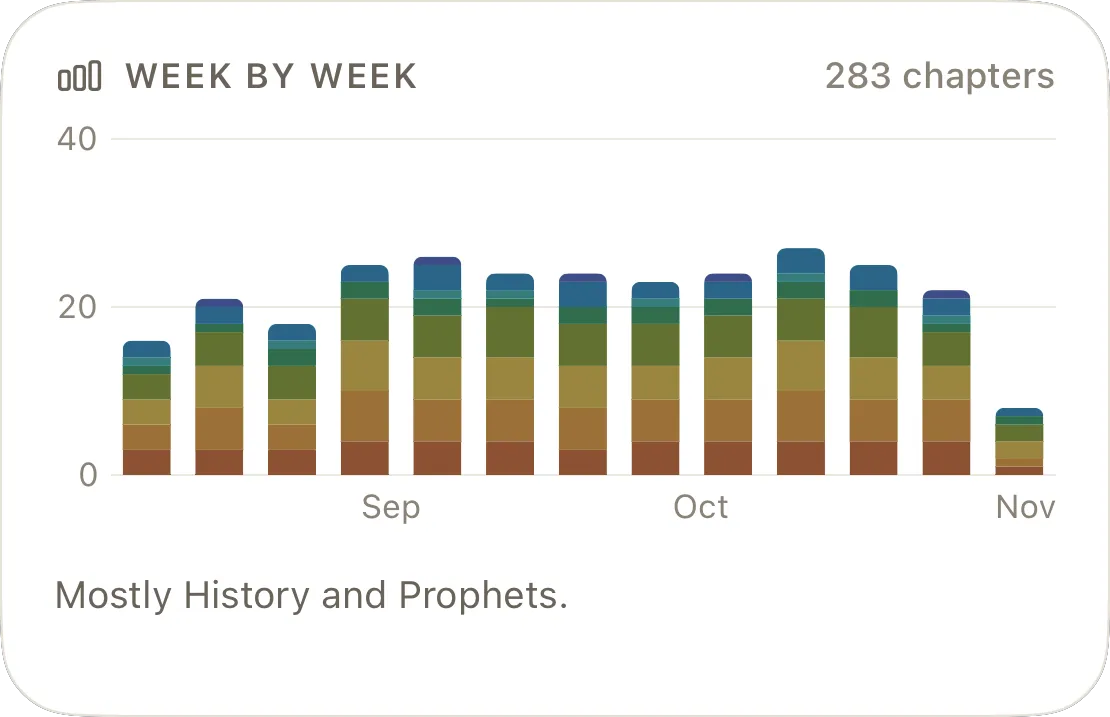
Week by week, in the canon’s colors.
Bars by division. A quarter at a glance says where the reading has gone — “mostly Wisdom and History” — rather than how much of it there was.
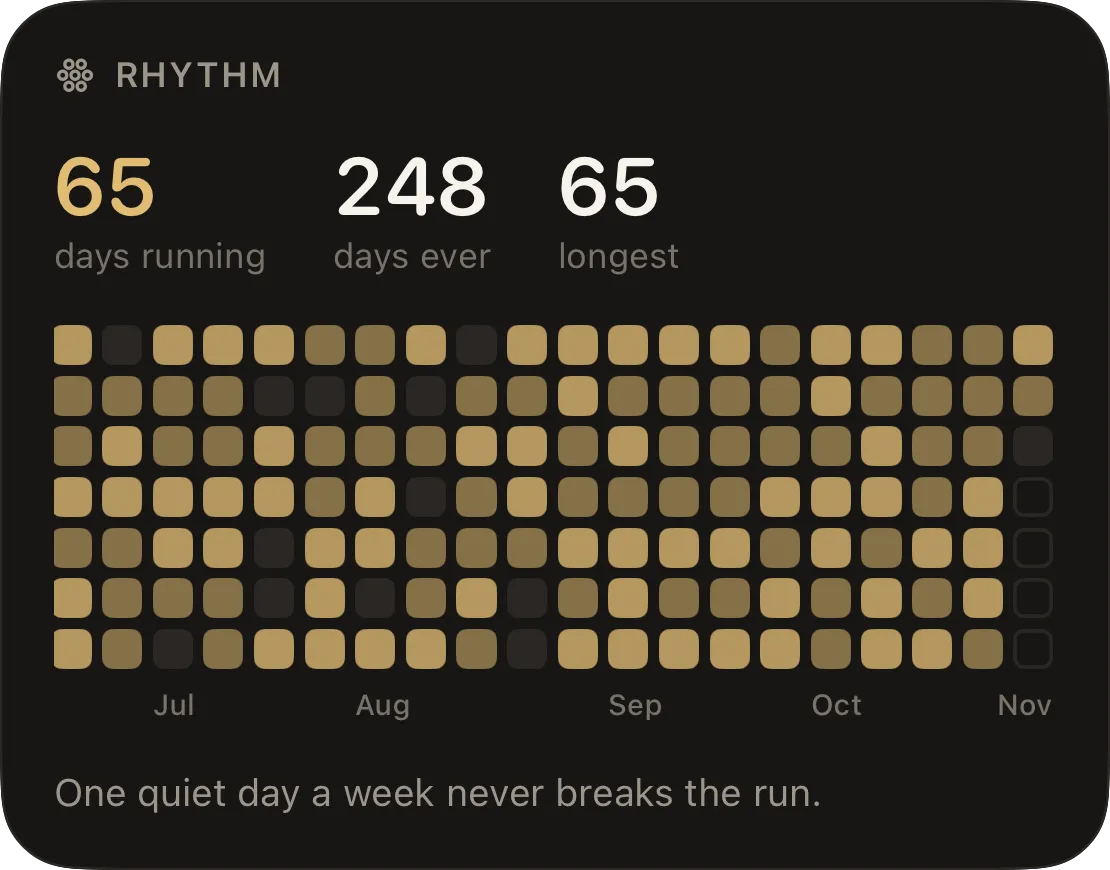
One quiet day a week never breaks the run.
The run counts the days you came back. Miss one and it holds; a full week of reading earns the grace back. The morning after a quiet day it stands, rather than breaking and unbreaking inside a single day.
Widgets & reminders
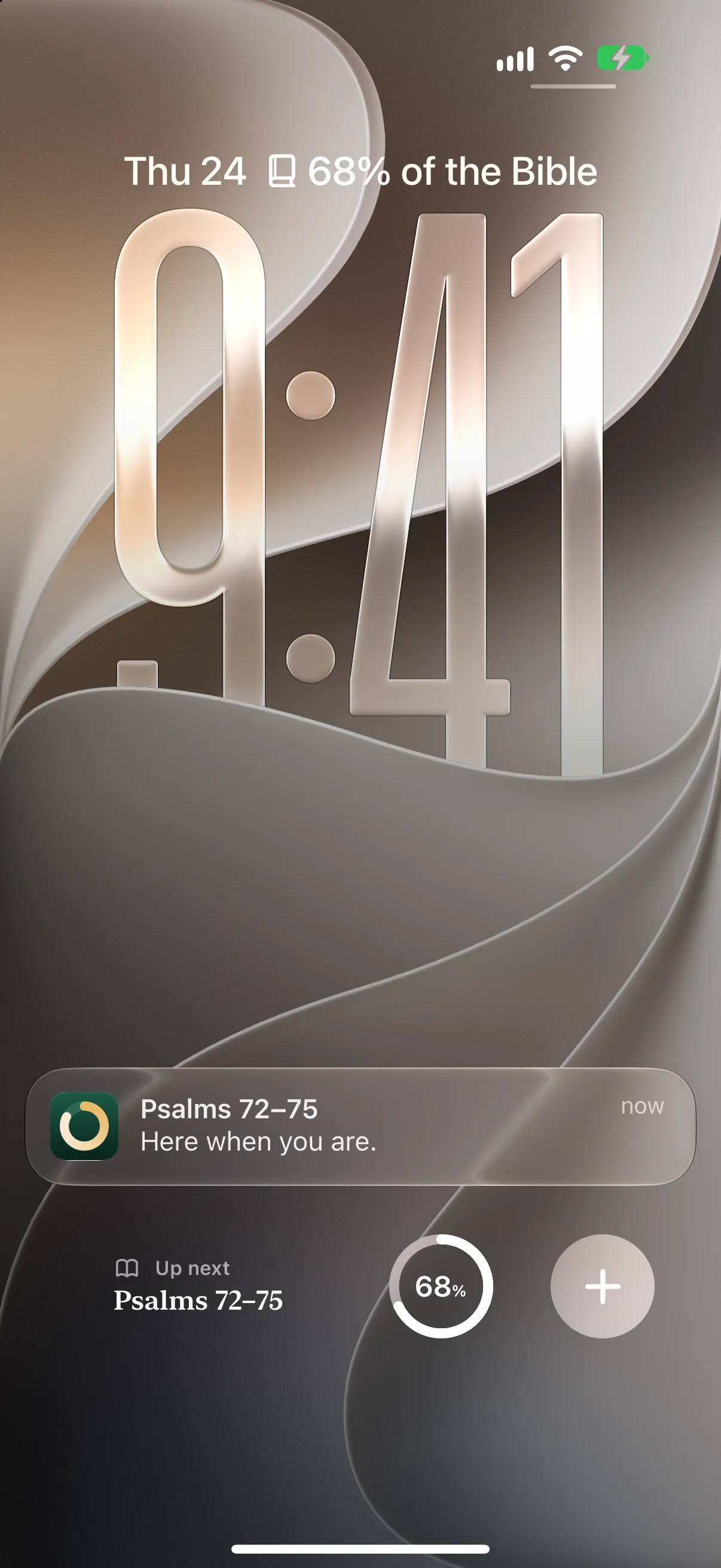
On your Lock Screen, before you open the app.
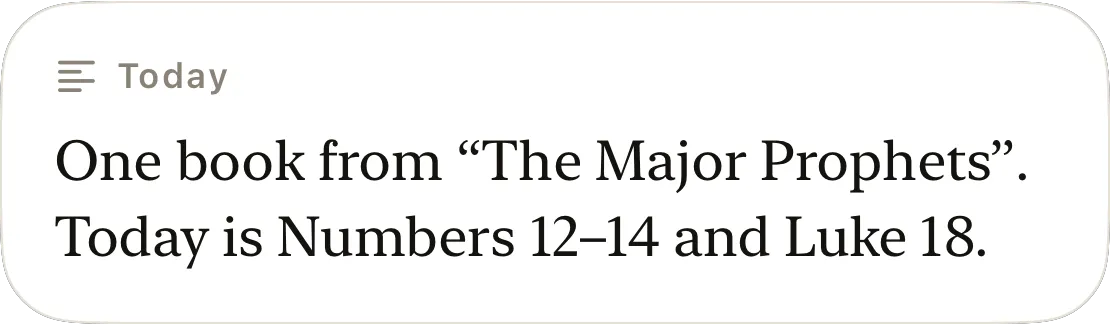
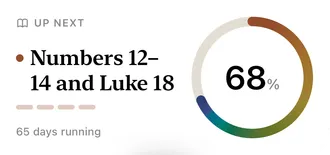
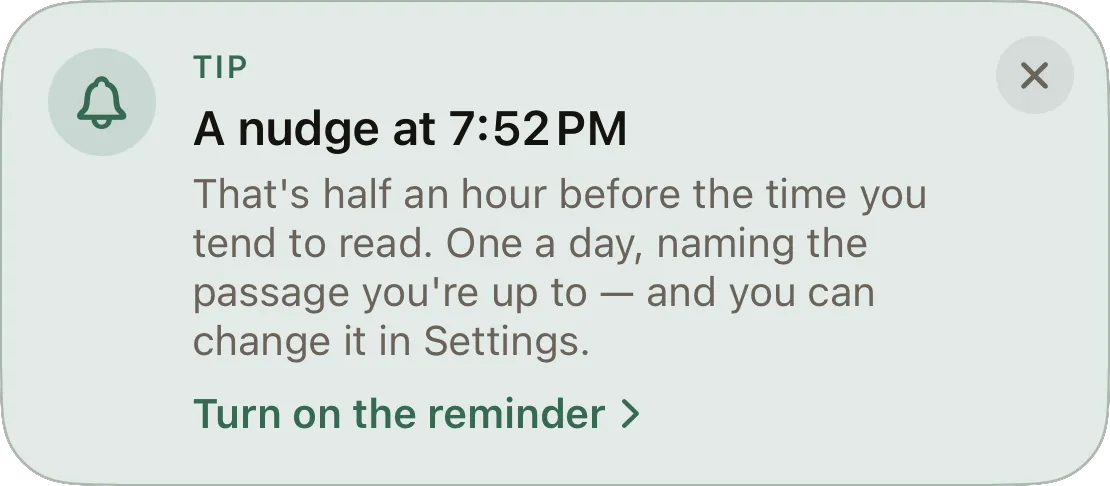
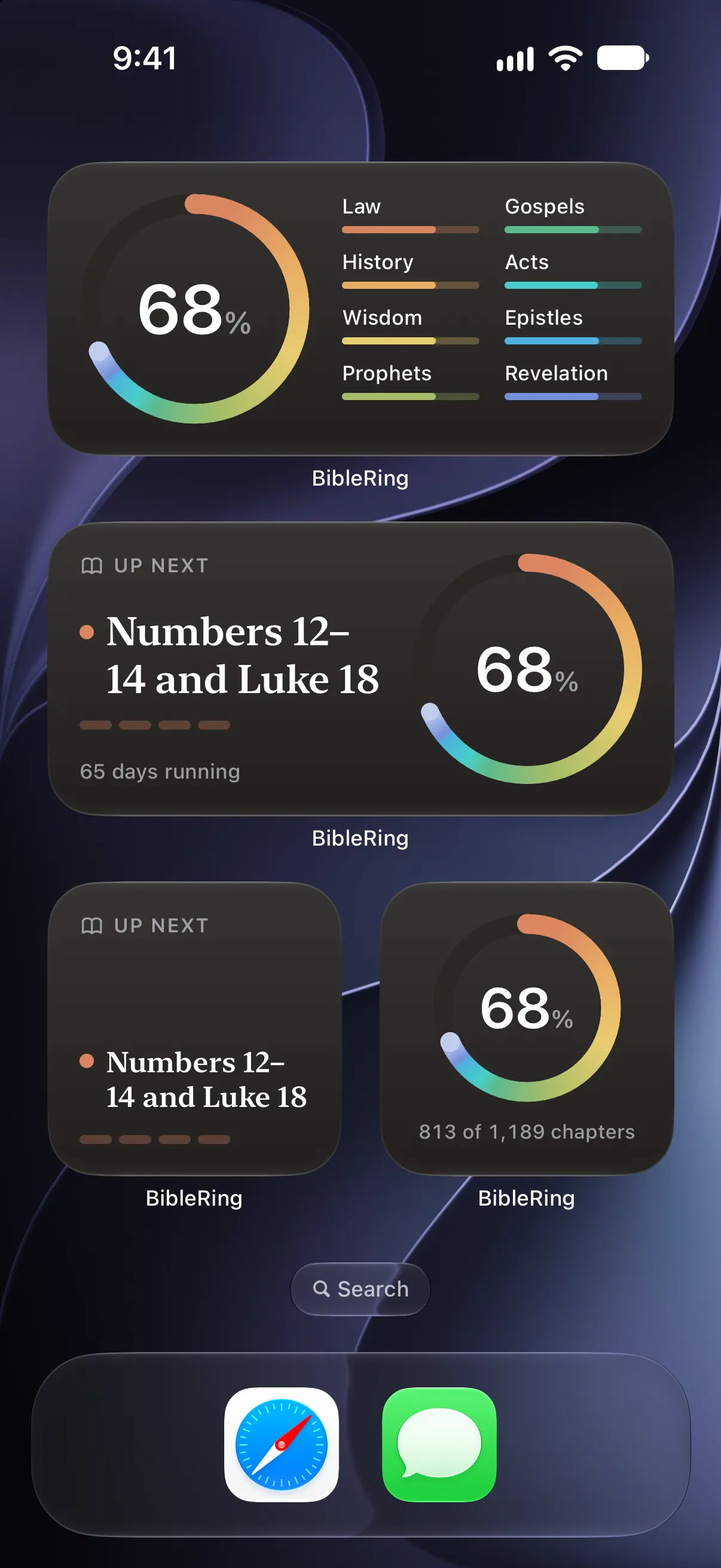
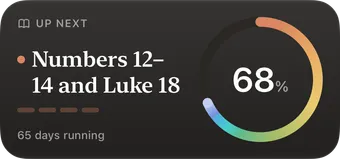
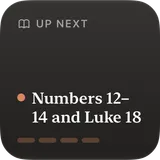
Up next, the ring and the run on the Lock Screen and the Home Screen. Two Control Center buttons. And one reminder a day that names the passage you are up to — and, when there is something to say, what that reading does.
A tap opens the sheet. It does not log.
Every widget, button and reminder lands on the same sheet with the passage already selected. The Lock Screen is not a back door around a decision that should be yours to make.
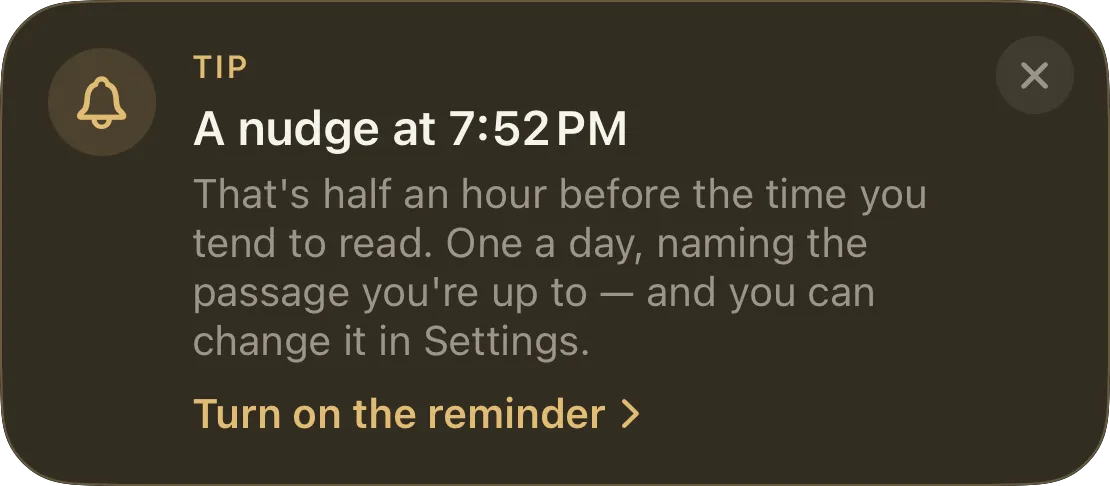
It learns your hour.
The reminder arrives half an hour before you tend to read, worked out from when you actually pick the app up — or at a time you choose. It is never sent on a day you have already read, and it never mentions a streak.


Four widgets, still true tomorrow.
Widgets read a projection the app writes; they never compute and never guess. Once the date turns, the day-shaped numbers step aside and “Up next” stays, because that one is true whatever the date is.
Seals
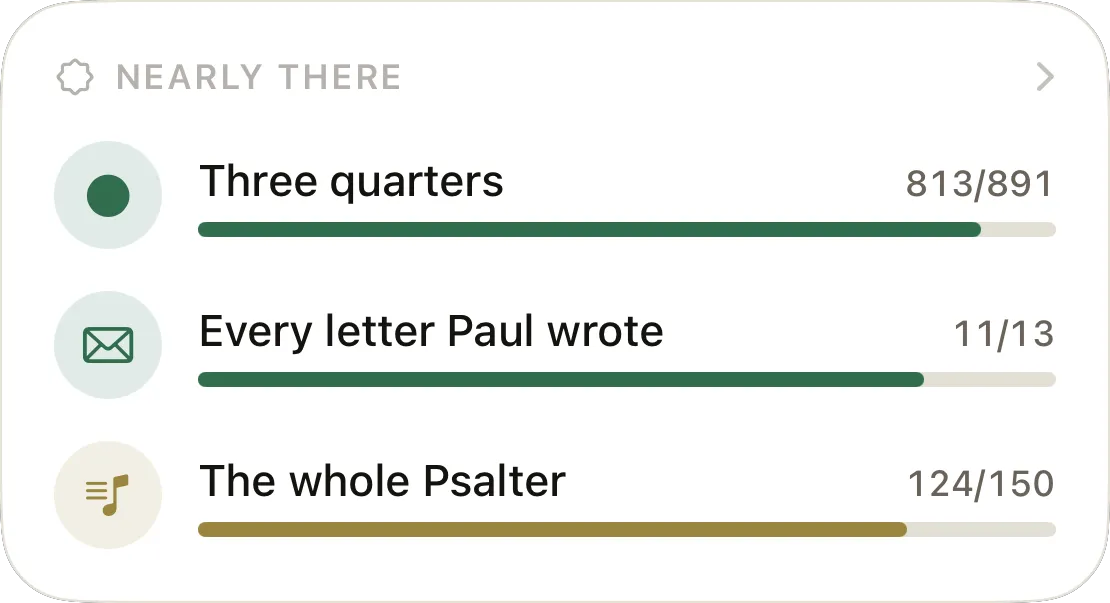
Small seals for real milestones.
Twenty-two of them, and every one is a fact about the record: the Pentateuch, the four Gospels, every letter Paul wrote, the Twelve nobody finishes, a whole book in one sitting, Obadiah.
A seal follows the record. Earned by a mistaken tap, it goes when the tap is taken back — so the real reading later is celebrated on its own day, rather than never. Nothing in the case is a streak you can lose.
- The Twelve
- Every minor prophet, Hosea to Malachi — the stretch most people skip.
- Obadiah
- One chapter, tucked between Amos and Jonah, and easily missed.
- In one sitting
- A whole book read on a single day.
Recaps
A look back, never a running total.
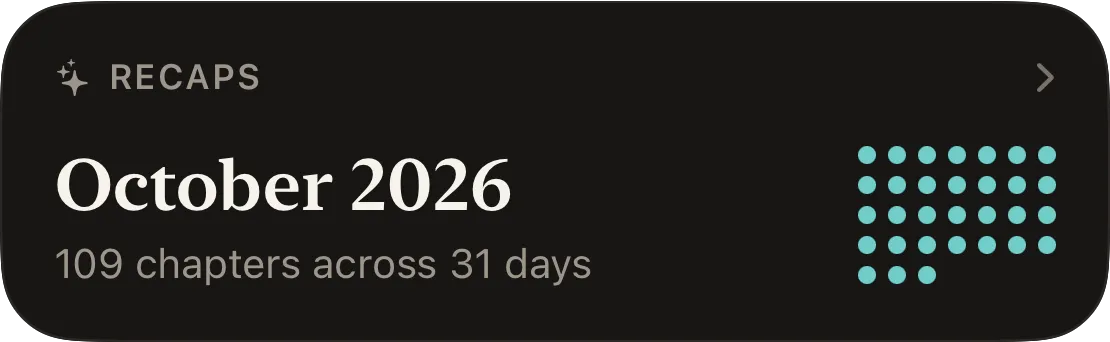
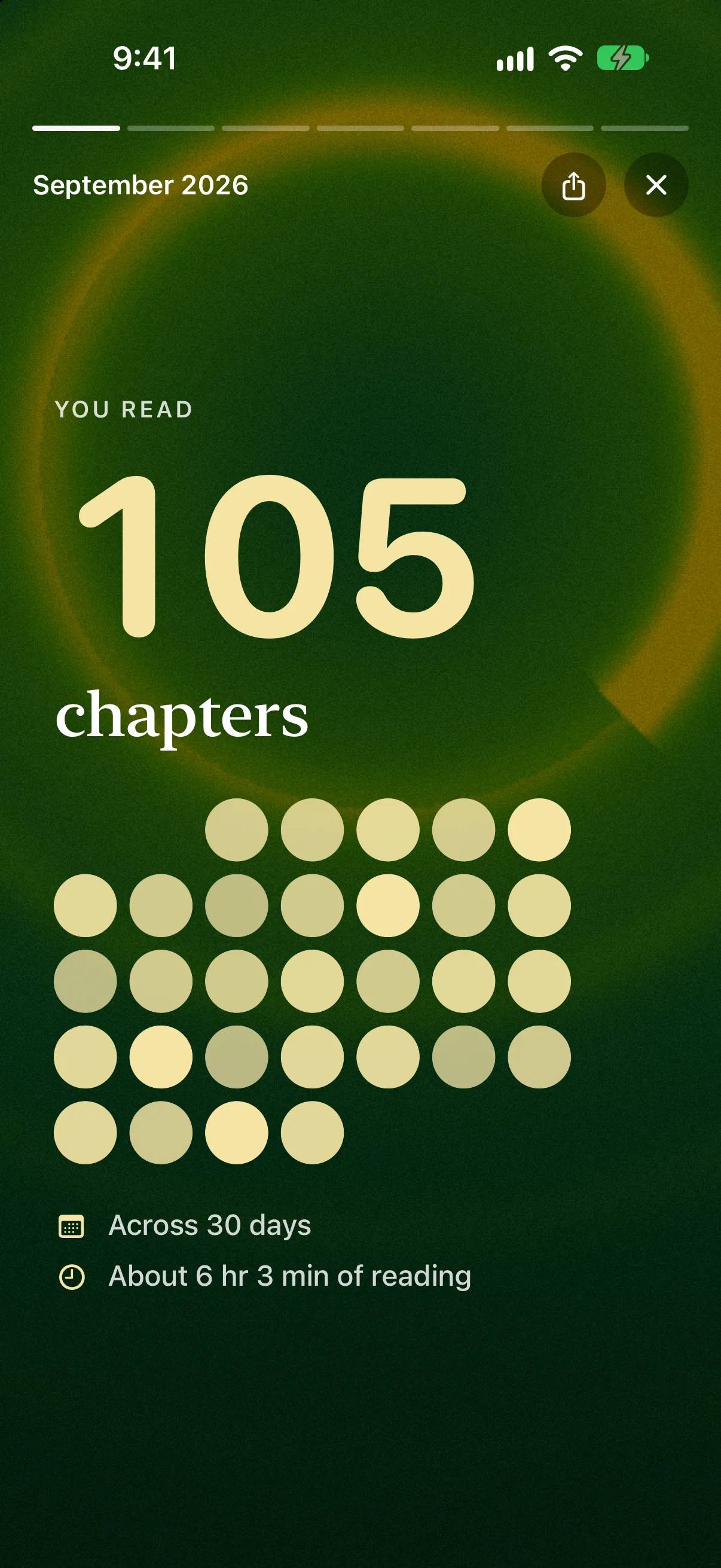
Every closed month and year gets a recap that plays like a short film: the chapters count up, the month lights a day at a time, the books you closed are set on a shelf, and the ring sweeps on to where that month left you.
It ends on a set of pictures made to share, on one of sixty-four backgrounds: your own for that month rather than one everybody gets, and you can try another. Every figure in a recap is the period’s own, so August says the same thing when you open it in March.
Your Bible, your order
Five canons. Four ways through.
Canon is a setting, not an assumption. A Catholic reader finishes at 100%, not at 98% with twenty-six chapters missing from books their church doesn’t carry. Switching never loses a chapter and never exceeds a hundred.
Canons
Genesis through Revelation.
Adds Tobit, Judith, Wisdom, Sirach, Baruch and 1–2 Maccabees, plus the longer Esther and Daniel.
The Catholic books, plus 1–2 Esdras and the Prayer of Manasseh — the Apocrypha as Anglican Bibles print it.
The Septuagint’s Old Testament. Adds 3 and 4 Maccabees, and Psalm 151.
The Tewahedo Old Testament. Adds Enoch, Jubilees, 4 Baruch and the three Meqabyan, which stand in place of 1–2 Maccabees.
Plans
Genesis through Revelation, in order.
A little of each testament, most days.
Roughly when each book was composed — Job and Genesis first, John’s letters last.
Read wherever you land. Nothing is scheduled.
Set a finishing date and the app works back to a daily target; set ten minutes a day and it works out the chapters; or set nothing and let it follow what you actually read. The interleaved plan gives every day some of both testaments, so a reader ahead in the Gospels is never handed a month of Samuel.
Appearance
Make it yours.
Evergreen and your choice of light or dark are free, and yours from the first day. Every screen is drawn on the look you choose, and the cards frost over it. A look can be as full of color as it likes; it is never allowed to make a word harder to read.
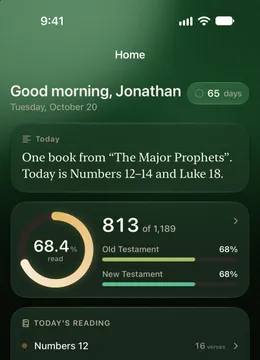
Evergreen 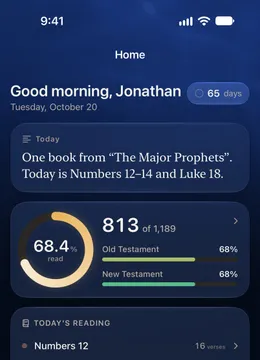
Deep Water 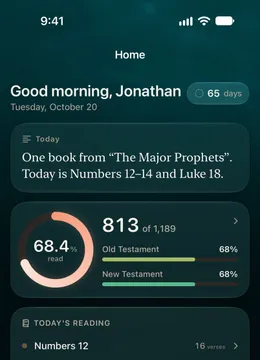
Galilee 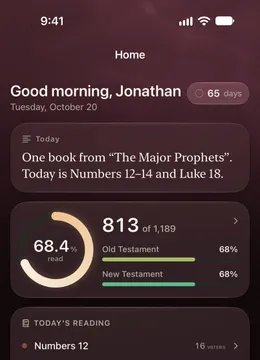
Vespers 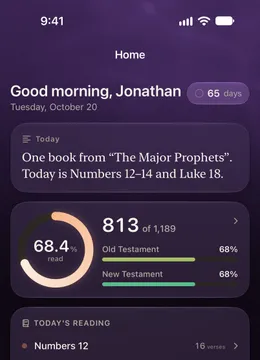
Violet Hour 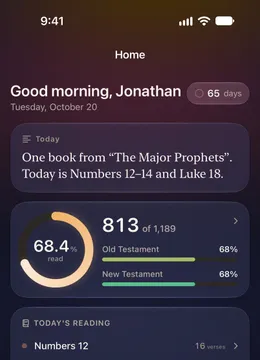
Dawn 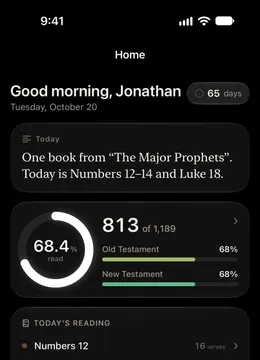
Minimal
Everything that touches reading is free. For good.
Every chapter, plan, canon, streak, seal, widget, recap and note — and any export of your own data — costs nothing and never will. The one thing on sale is decoration: Supporter is a single payment that unlocks twelve more looks, looks of your own in any color, and an app icon for each of them. It is framed as what it is — supporting the person who makes the app — and it restores on every device signed in to your Apple Account.
A thank-you
One look you can’t buy.
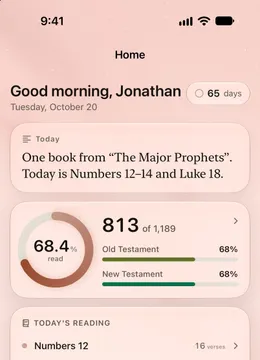
Emmaus is evening on the road, with the first stars coming out: blush by day, clay and starlight at night, and an app icon of its own. It isn’t for sale, not even with Supporter. Send BibleRing to someone who might read along — from Home, from Settings, from Emmaus on the Appearance screen, or with Share on a finished book or a recap — and it’s yours.
Named for the road to Emmaus in Luke 24, where two disciples walked toward evening and then, the same hour, went back to tell the others. Nothing checks who you sent the app to, and they aren’t promised anything. It is simply a thank-you for passing it on. How it works

Low-guilt, by design
Things this app will never do.
Most reading apps are built to keep you coming back. This one is built so you can come back after a month away and find the record exactly as you left it, with nothing to make up for.
- Nothing turns red.
Unread is a neutral, always. There is no color in the app that means you failed.
- No tally of missed days.
Quiet days are summarized, never listed. The app keeps a record of reading, not of absence.
- Never “don’t forget”.
A reminder names the passage and stops. It does not nag, and it never mentions a streak.
- No account.
There is nothing to sign in to. Your record lives on your device, and in your own iCloud too if you want it to follow you.
- No subscription.
Every chapter, plan, widget and number is free, for good. Nothing you can fall behind on.
- Nothing sold to anyone.
No ads, no data brokers. Usage is counted anonymously, and anything more waits for your yes.
Questions
The short answers.
What people ask before they download. Everything else — logging, widgets, purchases, your data — is on the support page.
What is BibleRing?
BibleRing is a Bible reading tracker for iPhone and iPad. You log the chapters you read, in whichever Bible you already use, and it shows how much of the whole Bible you have covered — by book, by division and by testament — with a reading plan, a pace, widgets and a daily reminder drawn from that one record.
Is BibleRing free?
Yes. Every chapter, plan, canon, widget, seal and recap is free, with no subscription, no ads and no account. The one purchase, Supporter, is a single payment for decoration only: more looks, looks of your own and their app icons. One more look, Emmaus, is never sold: it is a thank-you for sharing the app.
Does BibleRing include the Bible text?
No. It ships no scripture text. Read in any translation — on paper, or in another app — and log the chapters here. BibleRing keeps the record, not the book.
How many chapters are in the Bible?
It depends on the canon. The Protestant Bible has 66 books and 1,189 chapters: 929 in the Old Testament and 260 in the New. The Catholic Bible has 73 books and 1,334 chapters. BibleRing counts against whichever you choose, including With Apocrypha (76 books, 1,360 chapters), Orthodox (78, 1,386) and Ethiopian (80, 1,564).
Can I read the Bible in a year with it?
Yes. Choose to finish within a set time — a year, or anything from three months to two years — and the plan works back from that date to a daily reading. For the Protestant Bible, a year is a little over three chapters a day. Or give it a number of minutes a day and it works out the chapters.
What happens if I miss a day?
Nothing turns red and nothing piles up. Today’s reading is fixed when the day starts, a skipped day simply passes, and the plan carries on from where you actually are. The run survives one quiet day, and a full week of reading earns that grace back.
Do I need an account? Where is my data?
No account. Your reading record is kept on your device, and — only if you turn it on — in your own iCloud, so it comes back on a new phone and stays the same on your iPad. Nothing you read or write — no notes, no book names — is ever sent to us. Depending on your country, the app sends anonymous usage counts or nothing at all, as the privacy policy describes, and the more detailed of its two analytics services always waits for your yes.
Is BibleRing on Android?
No. BibleRing is built for iPhone and iPad and needs iOS 26 or later.
Where can I get BibleRing?
It is coming to the App Store for iPhone and iPad. This site will link to it the day it is out.
Guides
Questions on the way through.
How long the Bible takes, how many chapters a day, where to start and what to do after a bad week. Plain answers, counted from the same record the app keeps. All guides.

Get the app
Here when you are.
BibleRing is for iPhone and iPad, iOS 26 or later. It is free, it asks for no account, and the record it keeps is yours.